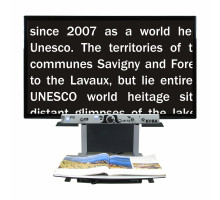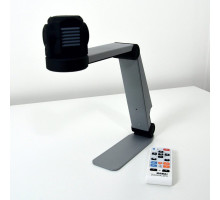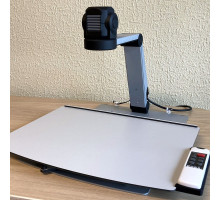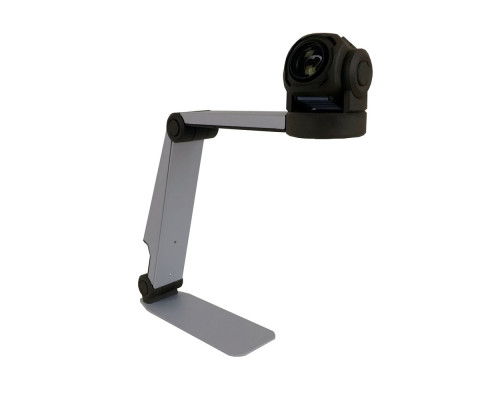
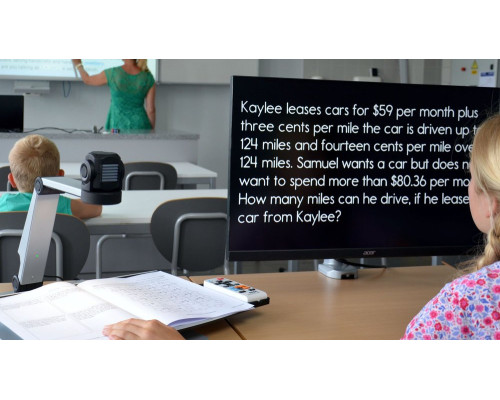
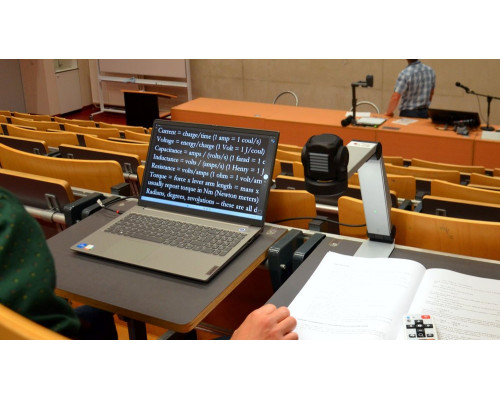
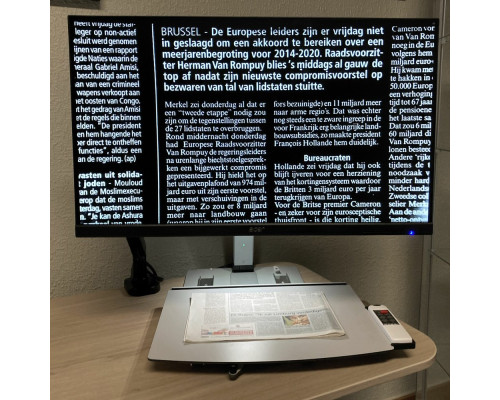
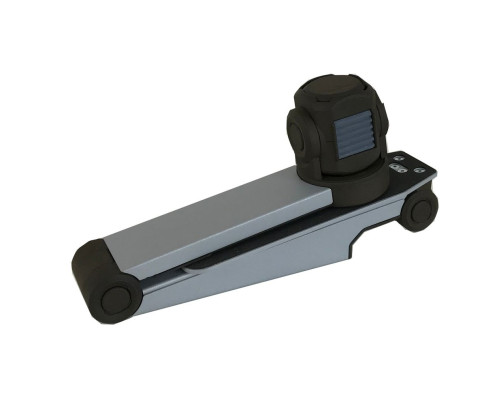
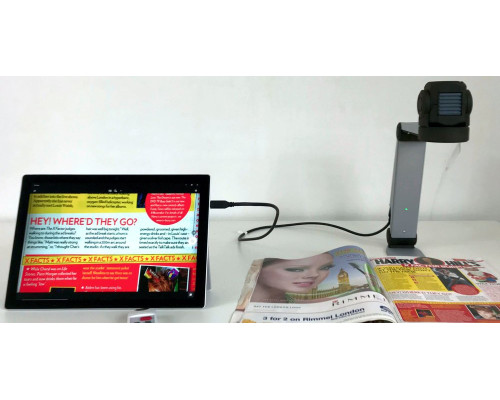


KOBA Vision ZoomCam is a portable video magnifier: a Full HD camera that looks like a desk lamp and connects to a computer, tablet, monitor or TV. It unfolds in two clicks and can both read up close and look at a distance – the board in class or a presentation at work.
One camera for school, work and home
- Reading and distance camera: the camera head moves in two directions: down to the book or up to the board, mirror or screen. A motion sensor remembers the settings for each position.
- Plug and Play: no software to install: connect the cable to a computer, tablet, monitor or TV, and the picture is there.
- With magnification software: on a computer the image can be shown full screen or in split screen with SuperNova 15.03 or later and ZoomText 10 or later.
- Full page width: a field of view of approx. 23 cm; with the camera at the front it covers a whole A3 page. Built-in LED light for dark rooms.
- Discreet and light: looks like a desk lamp, weighs 1.1 kg and fits in a backpack together with a laptop or tablet.
- Magnetic remote control: 28 colour combinations, brightness, background filter, dimmable light and reading line – and ZoomCam remembers the last settings.
Who is it for?
- Pupils and students who need to see both the book and the board
- Employees who change workplaces or work from home
- Users who already have a computer, tablet or TV and don't want a large desktop device
See it in use
See KOBA Vision ZoomCam in use (video by KOBA Vision).
Specifications
| Type | Portable video magnifier (camera) without speech |
|---|---|
| Camera | Full HD (1920 × 1080, 60 fps), autofocus, reading and distance position |
| Magnification | Tablet 11.2″: 1.1–24.8x · laptop 15.6″: 1.5–34.6x · 22″: 2–47.5x · 27″: 2.6–60x · 32″: 3–70x · 43″: 4.1–94.5x |
| Field of view (width) | 1–23 cm |
| Connections | 2 × USB-C, 1 × HDMI |
| Computer (USB 3) | Full screen; split screen with SuperNova 15.03+ or ZoomText 10+ |
| Compatible with | Windows, macOS, ChromeOS, Android and Linux |
| Operation | Magnetic remote control |
| Reading modes | Photo mode + 28 colour combinations, background filter, brightness, reading line, dimmable LED light |
| Size | In use: 35 × 7 × 33.5 cm (L × W × H); folded: 27.8 × 7 × 14.3 cm |
| Weight | 1.12 kg |
| In the box | ZoomCam, reading plate, magnetic remote control, 2 × AAA batteries, bag, HDMI cable, USB-C–USB-C 3 cable, USB-C–USB-A 3 cable |
| Warranty | 2 years from the manufacturer |
| Manufacturer | KOBA Vision, Belgium |
Which one suits you?
KOBA Vision has several similar models. Here is the difference in short:
- ZoomCam Speech – portable video magnifier with speech – no software, iPad too
- Quartz – video magnifier with computer connection and split screen – for work and study
- X/Y sliding table for ZoomCam – X/Y sliding table with brake for ZoomCam
Frequently asked questions
Does any software need to be installed?
No. ZoomCam works straight away via HDMI or USB-C. If the computer has SuperNova or ZoomText, the image can also be shown in split screen; otherwise the computer's camera app can be used.
Can ZoomCam be used to see the board?
Yes. The camera head can be turned up towards the board, a presentation or a mirror, and ZoomCam remembers the settings for both the reading and the distance position.
Does ZoomCam work with an iPad?
KOBA Vision lists Windows, macOS, ChromeOS, Android and Linux for ZoomCam. For iPad (iPadOS 17 or later), KOBA lists ZoomCam Speech – the portable magnifier with speech.
Can ZoomCam read text aloud?
No, but ZoomCam Speech can – it has the same camera with built-in read-aloud.
ZoomCam is developed by the Belgian manufacturer KOBA Vision. See the full range under Video magnifiers (CCTV).
Price, delivery and invoicing
The price excludes VAT. The webshop is aimed at municipalities, institutions and businesses. Danish public customers can order with an EAN number and receive an electronic invoice. Delivery in Denmark is free. If you have questions or need a quote, write to info@inva.store.
Specifications
There are no questions about this product.