
Short answer: Tiger Software Suite 9 (TSS) comes with every ViewPlus braille embosser. With TSS you print Danish braille – uncontracted and contracted – directly from Word and Excel, without retyping the text in a separate braille program. TSS 9 now also has a Danish interface, translated by Inva Store.
What is new?
- Danish interface: in 2026 Inva Store translated the Tiger Software Suite 9 interface into Danish and sent the translation to ViewPlus.
- Danish braille: TSS already has Danish braille tables – both uncontracted and contracted. Now the menus and dialogs are in Danish too.
- Licence and help: when you buy a ViewPlus embosser from us, the TSS licence is included, and we advise on installation and setup.
How to print braille from Word
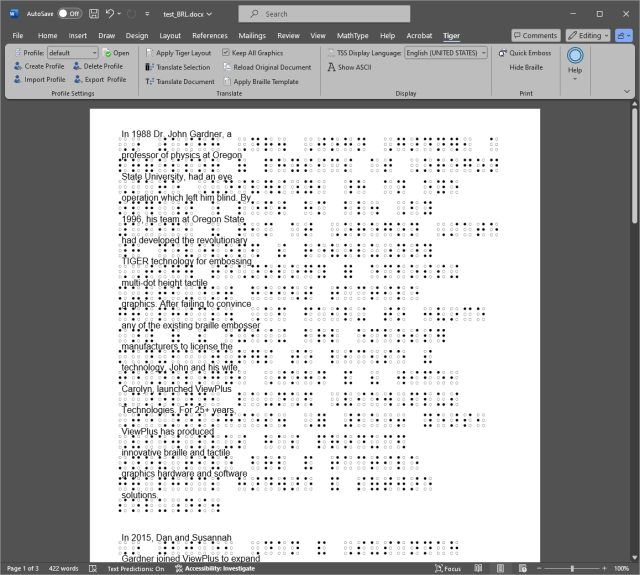
- Write or open the document in Word as usual – with headings, lists and tables.
- Choose the ViewPlus embosser and Danish braille (uncontracted or contracted) in TSS.
- Print. TSS translates the text into braille and sends it to the embosser.
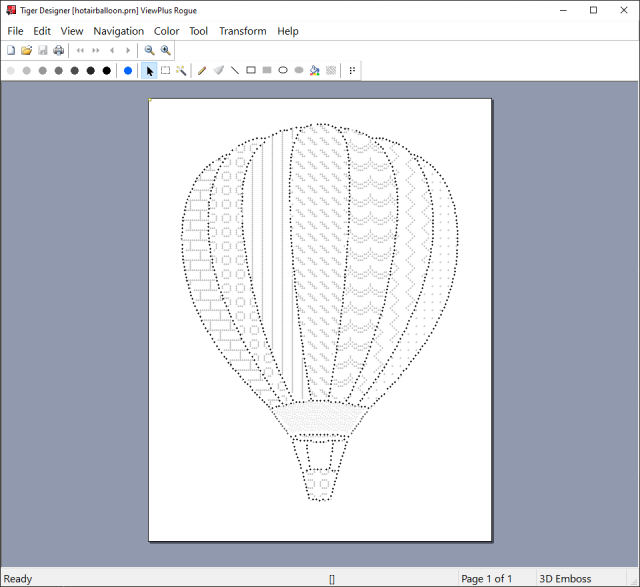
If the document contains pictures or diagrams, they can be printed as tactile graphics on the same page as the braille.
Excel: timetables and tables
Timetables, budgets and lists from Excel can be printed directly in braille – for example school timetables or lists at work. A tip: keep the columns narrow and the headings short. A braille line holds far fewer characters than an ordinary line.
Graphics and braille on the same page
ViewPlus embossers emboss both braille and tactile graphics. In Tiger Designer, which is part of TSS, you can draw and edit graphics – such as maps, diagrams and illustrations – before printing.
Which embossers?
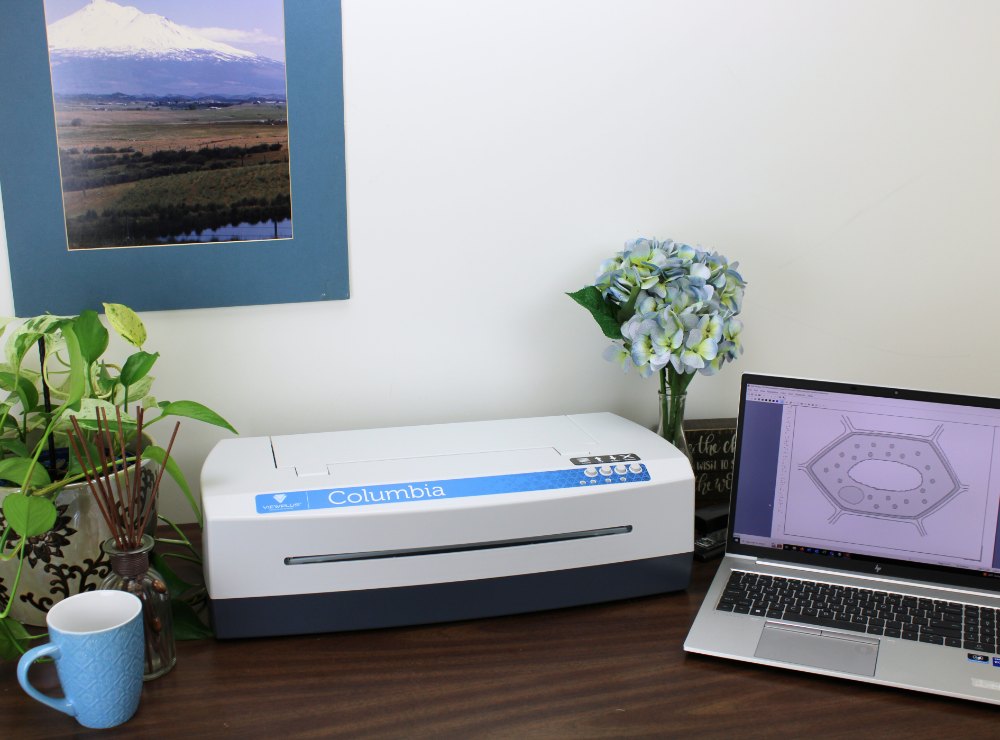
TSS comes with all ViewPlus braille embossers we sell – from EmBraille and Tiger Box to Columbia, Delta 2, Rogue, Premier 100, Elite 200 and the SpotDot colour embosser. See them under Braille embossers, or read our guide How to choose a braille printer. To learn more about what is new in version 9, read Tiger Software Suite 9: what is new.
For municipalities, schools and institutions
We sell with EAN invoicing and quote for embosser, licence and setup. Read more on the page For municipalities, schools and institutions.
Frequently asked questions
Do we need a separate braille program?
No. TSS works together with Word and Excel, so you write and edit the text in the programs you already use. TSS takes care of the translation into braille.
Can we print contracted braille?
Yes. TSS has Danish tables for both uncontracted and contracted braille.
Is the interface in Danish?
Yes. Tiger Software Suite 9 now has a Danish interface, translated by Inva Store in 2026.
Does the software come with the embosser?
Yes. TSS comes with every ViewPlus embosser. From us you get the licence, and we advise on installation and setup. Write to info@inva.store.
Sources
- ViewPlus: Tiger Software Suite 9
Responsible for the content: Sergiy Moskalets, Inva Store – working with assistive technology and IT for blind and visually impaired people since 1999. Read more about us.