
Short answer: Tiger Software Suite (TSS) is the software that comes with ViewPlus braille embossers. Version 9 was released in 2024 and adds, among other things, a Word add-in with page numbers, better maths support and new drawing tools for tactile graphics.
What is Tiger Software Suite?
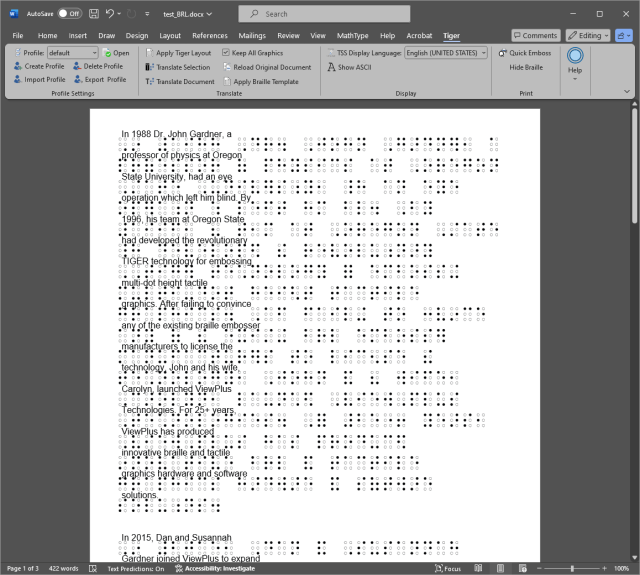
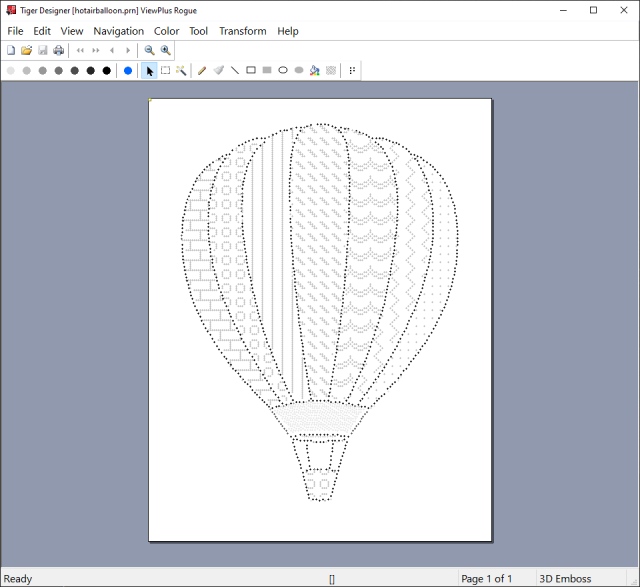
With TSS you can print braille and tactile graphics directly from Windows programs such as Word and Excel. The software translates text to braille with the Liblouis engine, and in Tiger Designer you can draw and edit tactile graphics before embossing.
What is new in version 9
Word and maths
- Word add-in with full-page printing and page numbers.
- Support for MathType and Microsoft Equations.
- Updated Liblouis (version 3.28.0) and MathCAT for maths.
Drawing and graphics in Tiger Designer
- Drawing tools for lines, arrows, pins, rectangles, circles and triangles.
- Three selection modes: Select All, Select Region and Magic Wand.
- New braille label dialog and a text label tool for the ink layer.
- Selective removal of dot heights.
- Fold and perforation lines.
- Automatic alignment page so ink and embossing line up.
- Image simplification: contour trace, colour-based tracing, area removal and layer separation.
System requirements and licensing
- Current Windows and Microsoft Office 2010, 2013, 2016 or 2019 (32 or 64 bit), according to ViewPlus.
- Licence as an annual subscription with updates, or as a perpetual licence where new versions are bought as upgrades.
Getting to know the software
ViewPlus holds webinars on TSS and tactile graphics and posts the recordings on YouTube. If you have questions about TSS with an embosser from us, write to info@inva.store.
Sources
- ViewPlus: Tiger Software Suite 9
- ViewPlus: ViewPlus 2024 Wrapped – Color InkConnect and TSS 9