
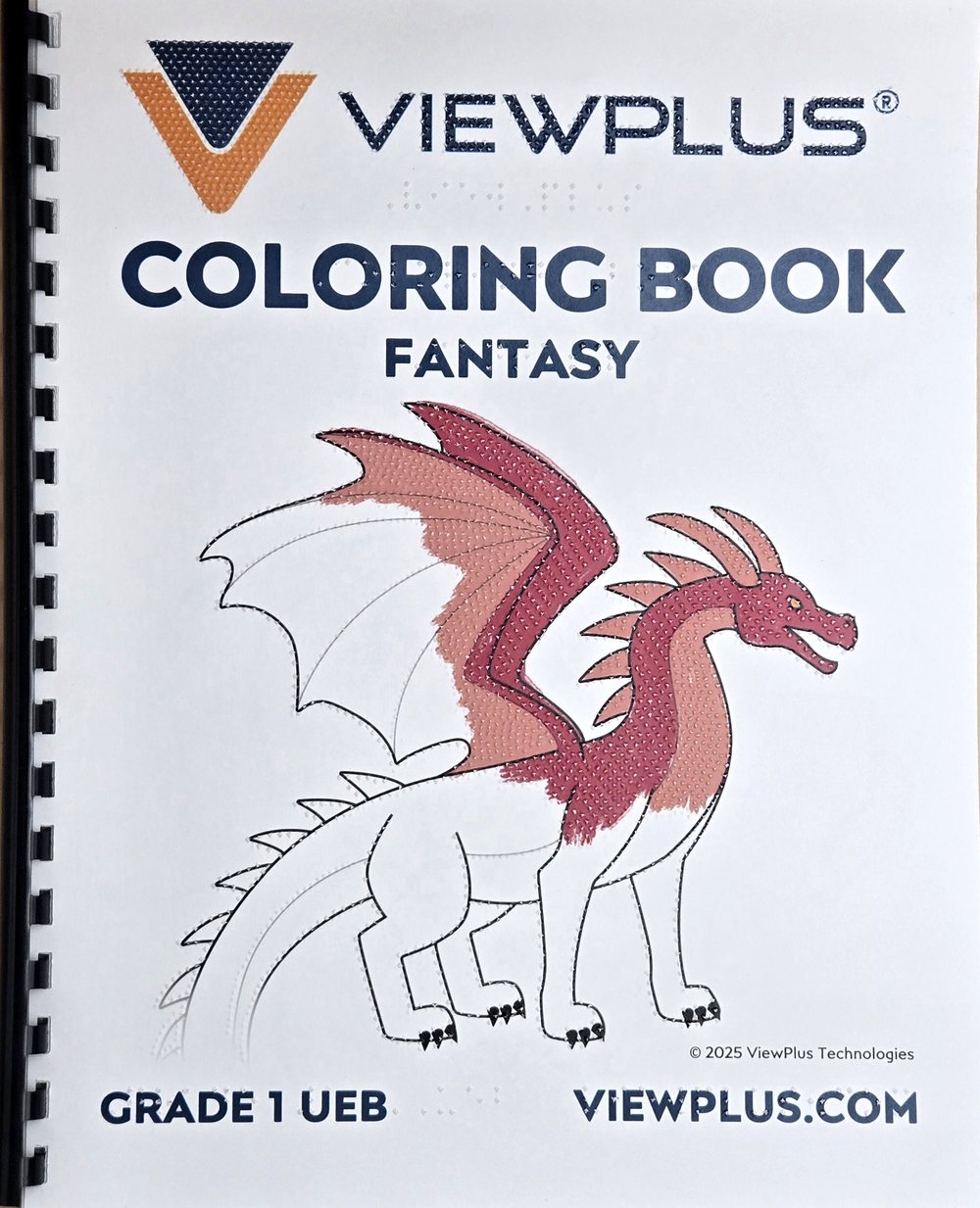
Short answer: A tactile coloring book has drawings with black lines, raised dots along the lines and titles in braille. A blind child can follow the lines with the fingers and color inside them, while a sighted child sees the same drawing. ViewPlus has made six coloring books like this, and if you have a ViewPlus braille embosser, you can download the pages for free and print them yourselves.
What is a tactile coloring book?
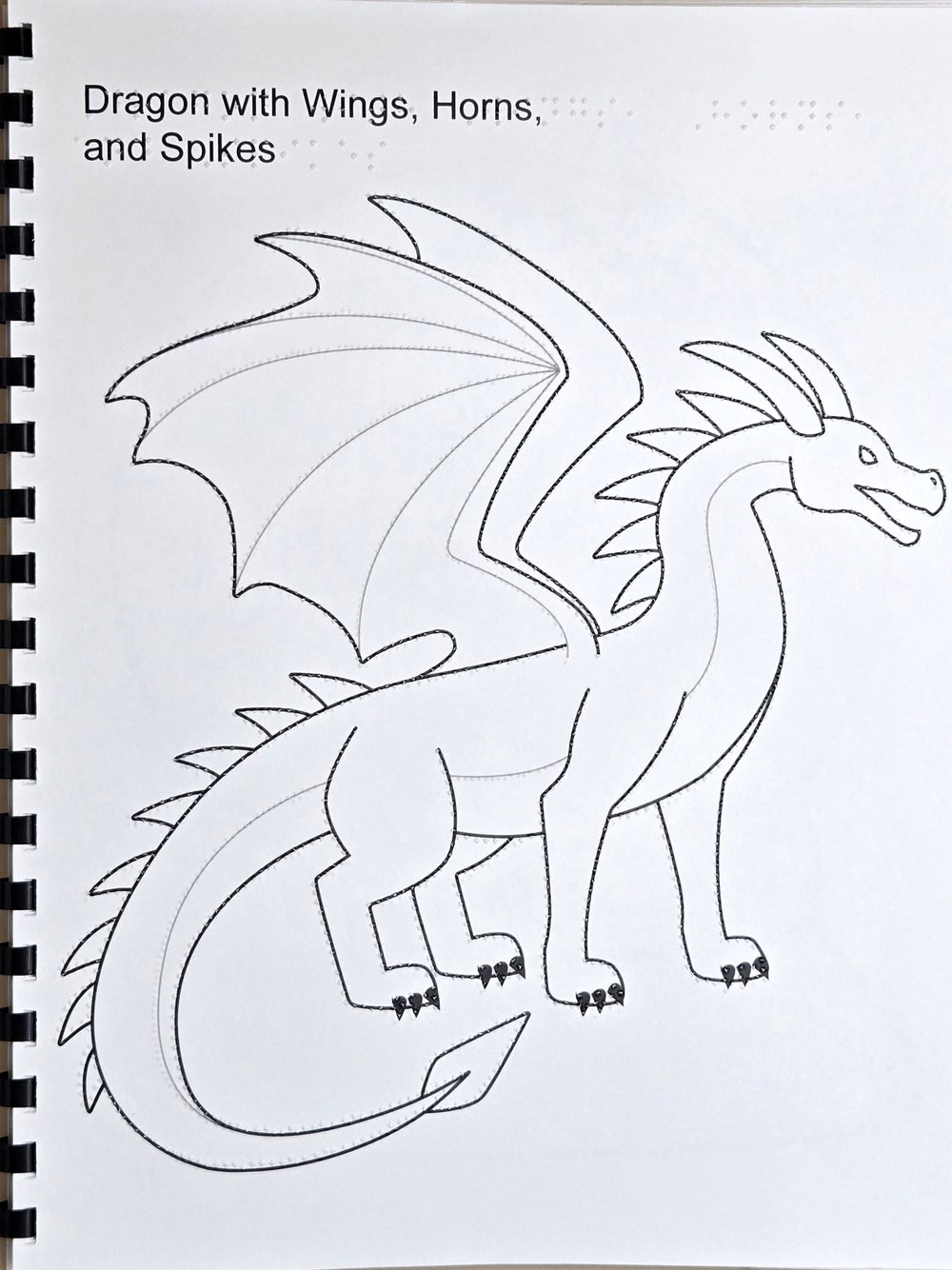
Each page has one large motif. The drawing is printed in black ink, and a braille embosser has added raised dots along the lines on the same sheet. In the top left corner, the title appears both in print and in braille, so the child knows what the drawing shows. According to ViewPlus, blind testers tried the books, and the drawings were then simplified into larger shapes that are easy to tell apart.
How the pages are built
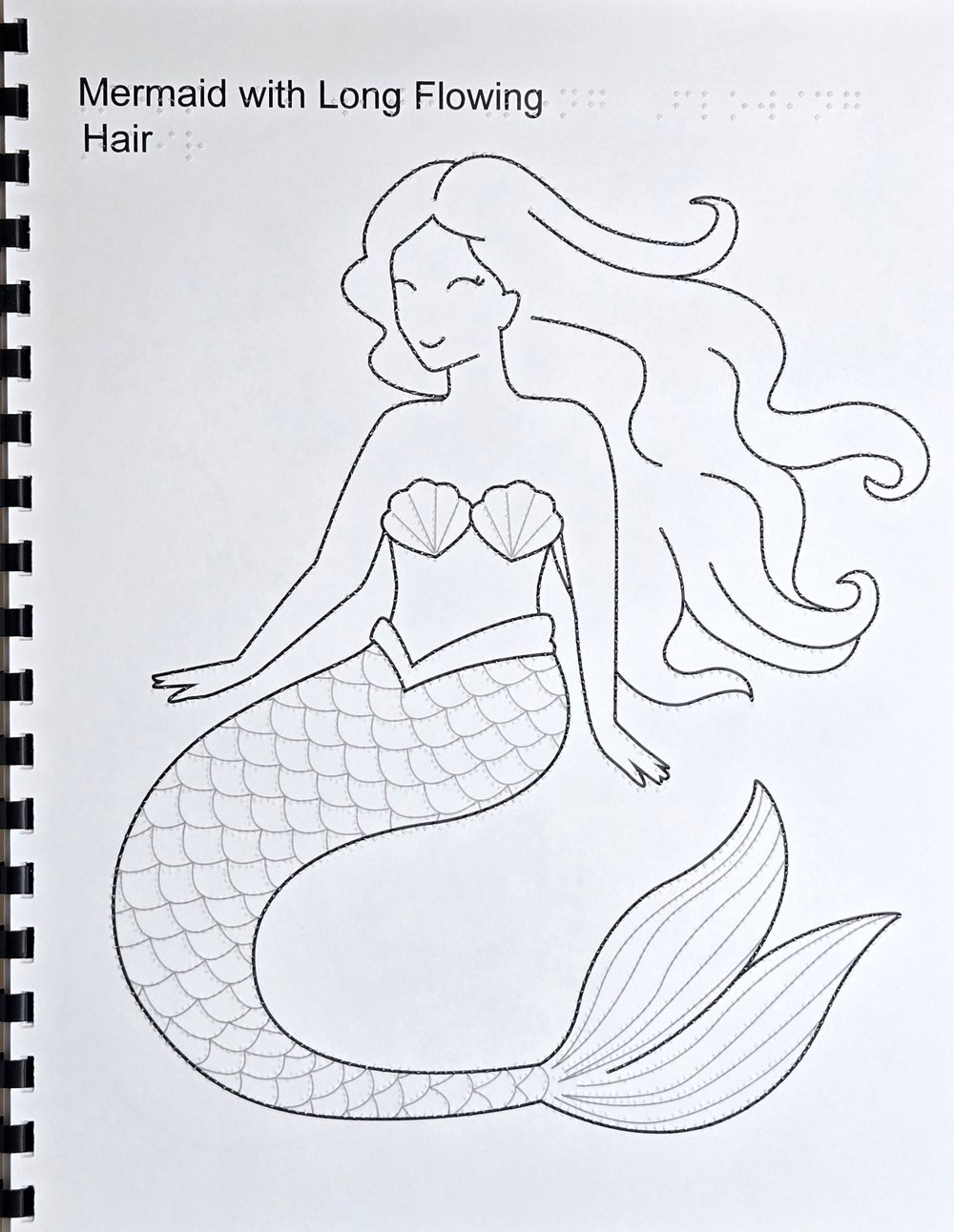
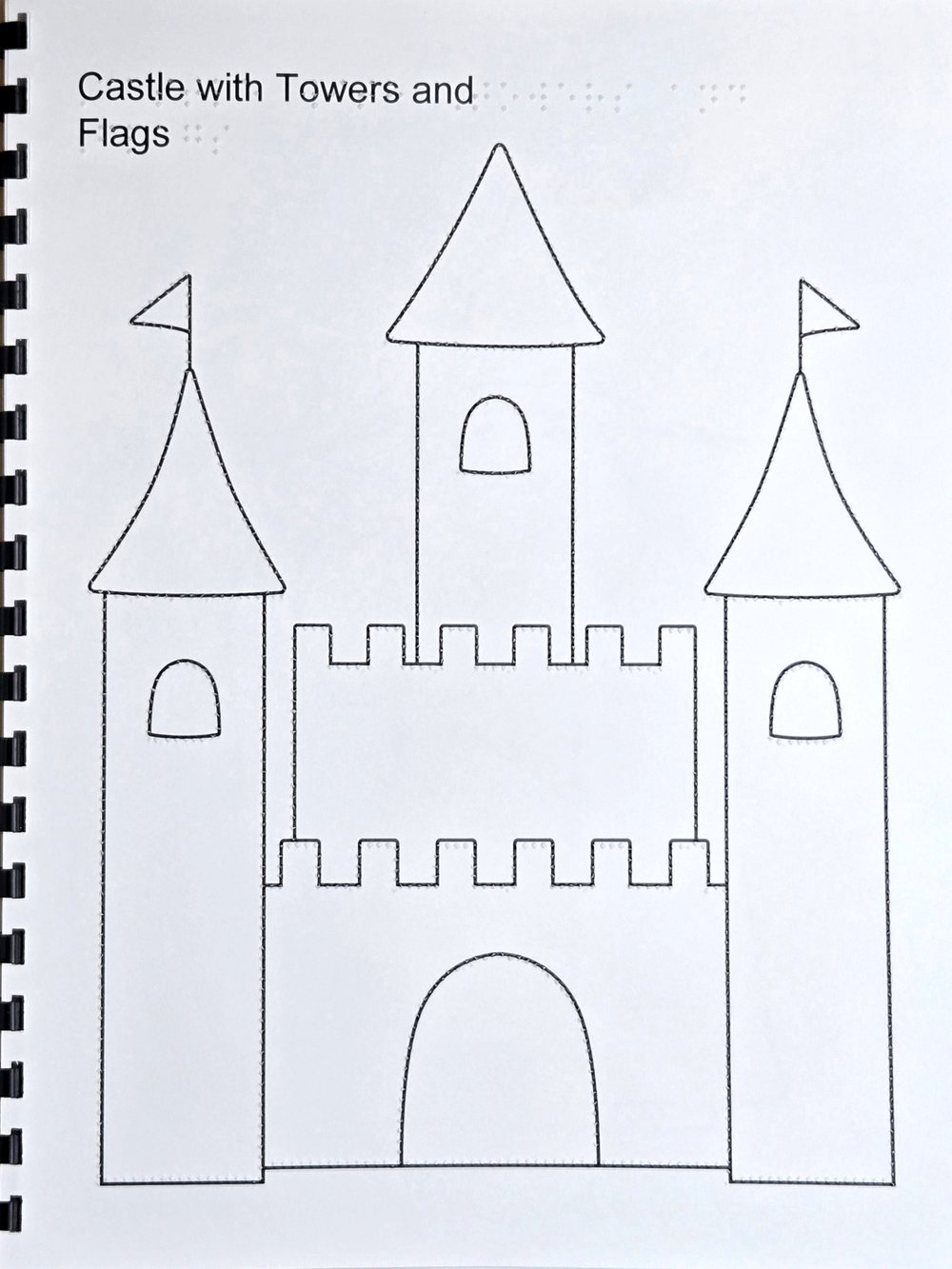
We have the “Fantasy” volume in our hands. It has ten drawings: unicorn, sword and shield, mermaid, dragon, crystal ball, magic wand, treasure map, princess, castle and wizard. Worth noticing:
- Strong outline. The outer edge of the figure is a thick black line with raised dots, so the fingers easily find the shape.
- Thinner inner lines. Details such as the scales on the mermaid's tail, the ribs of the wings and the castle windows are thinner grey lines, which are also raised.
- Space between the lines. The areas are large enough to color, and the lines do not merge under the fingers.
- Braille title. For example “Dragon with Wings, Horns, and Spikes” – the title also tells you what to look for in the drawing.
Six coloring books with ten pages each
| Volume | Theme |
|---|---|
| 1 | Mixed motifs: hot air balloon, rocket, sunflower, numbers, butterfly, fruit, dolphin, music notes, art supplies and sailboat |
| 2 | Wild animals |
| 3 | Winter holidays |
| 4 | Summer fun |
| 5 | Fall season |
| 6 | Fantasy: unicorn, mermaid, dragon, castle, wizard and more |
All books are in English, with Unified English Braille (UEB) in two versions: grade 1 (uncontracted) and grade 2 (contracted). The pages are made for US Letter paper (21.6 × 27.9 cm).
How to print the pages yourselves
Owners of a ViewPlus braille embosser can download the coloring books for free at viewplus.com. Each volume is a ZIP file with all ten pages and a cover:
- A PDF with the black print and PRN files with the dots, for Delta and Columbia, Elite and Premier, EmBraille, Rogue and SpotDot.
- A Word file with print and embossing combined, which can be printed on any ViewPlus embosser.
Black print and embossing on the same sheet require an embosser with ink printing: Elite 200, Premier 100 or Columbia with Color InkConnect, or SpotDot. On the other embossers, the pages are embossed without black print – the drawing can still be felt. If you want the titles in Danish, edit them in the Word file and translate them into Danish braille in Tiger Software Suite. Always print a test page first.
Ideas for using the coloring book
- Feel first, color afterwards. Let the child find the title and trace the whole outline before the crayons come out.
- Talk about the details. Where are the dragon's wings, horns and claws? How many towers does the castle have?
- Color together. A blind and a sighted child can each color their own copy of the same page and compare afterwards.
- Colors that can be found. ViewPlus sells crayons with braille labels, so the child can choose a color independently.
- Make your own pages. With simple shapes and good spacing between the lines, you can draw motifs from your own teaching. See 10 tips for good tactile pictures.
Frequently asked questions
Are the coloring books available in Danish?
No, the titles and the braille are in English. However, you can change the titles to Danish in the Word file and print with Danish braille via Tiger Software Suite. The drawings themselves need no translation, and many children already know words like “dragon” and “unicorn”.
Which embossers can print the coloring books?
All ViewPlus braille embossers: Delta 2, Columbia, Elite 200, Premier 100, EmBraille, Rogue and SpotDot. Black print and embossing on the same sheet require Color InkConnect or SpotDot. See also the guide How to choose a braille printer.
Can we print the pages on A4?
The pages are made for Letter paper, which is 6 mm wider and 18 mm shorter than A4. Many pages can be printed on A4, but always check with a test page that the whole drawing and title fit across the width before printing for a whole class.
Can the drawings be used on swell paper?
Yes. The PDF with the black print can be printed on swell paper and run through a heater such as Harpo PIAF, so the lines rise. Braille is still sharpest on a braille embosser. Read more in the swell paper guide.
Can you help us get started?
Yes. Write to info@inva.store, and we will help with embosser, paper and software – and with the printed coloring book or braille-labeled crayons if you are interested.
More free materials: Tactile graphics in teaching: free materials. All embossers are listed under braille embossers.
Sources
- ViewPlus: Tactile Coloring Book Volume 6: Fantasy and Tactile Coloring Book Volume 1
- ViewPlus: Activities – downloads for owners of ViewPlus embossers
- ViewPlus: Introducing our new tactile coloring book and braille labeled crayons (2023)
Responsible for the content: Sergiy Moskalets, Inva Store – working with assistive technology and IT for blind and partially sighted people since 1999. Read more about us.
Last updated: 27 October 2026.